How Businesses Use AI Agents to Automate Workflows
Businesses use AI agents for workflow automation by deploying autonomous software systems that can plan, decide, and execute multi-step tasks across departments without constant human input. AI agents connect with tools, databases, and APIs to handle repetitive, rule-based, and even complex decision-based processes across departments like customer service, HR, finance, marketing, and operations
Summary
An AI agent for workflow automation is an LLM-powered software system that can perceive data, reason through problems, and execute multi-step tasks across departments with little to no human intervention.
Businesses are deploying AI agents across customer service, sales pipelines, marketing campaigns, and real estate operations, resolving up to 70% of support tickets and cutting admin time by 40-60% per transaction.
Core benefits include 24/7 operation, 20-40% cost reduction, faster resolution times, improved data accuracy, and the ability to scale output without growing headcount proportionally.
Deployment risks, including data privacy exposure, AI hallucinations, legacy system incompatibility, and poor employee adoption, can be managed through role-based access controls, human-in-the-loop checkpoints, and phased rollouts.
A successful rollout follows six steps: auditing workflows, defining guardrails, choosing the right platform, integrating existing systems, shadow-mode testing, and scaling organisation-wide through a Centre of Excellence.
Gartner forecasts that 40% of enterprise applications will embed task-specific AI agents by the end of 2026, making early, well-governed adoption a significant competitive advantage for businesses that act now.
Table of Contents
- What Are AI Agents for Workflow Automation and How Do They Work?
- Key components of AI agents for workflow automation
- How AI agents process a task
- Types of AI agents businesses deploy
- How Businesses Use AI Agents to Automate Workflows
- Customer service and support
- Sales pipeline and lead generation
- Marketing campaign management
- Real estate operations and property management
- Benefits of Using AI Agents to Automate Workflows
- How to Implement AI Agents for Workflow Automation
- Challenges and Risks Businesses Face When Deploying AI Agents
- Why Choose Deligence Technologies
- Frequently Asked Questions
What Are AI Agents for Workflow Automation and How Do They Work?
AI agents for workflow automation are intelligent software systems driven by Large Language Models (LLMs) that can perceive context, reason through problems, and execute actions to accomplish complex, multi-step processes with minimal human supervision.
Key Components of AI Agents for Workflow Automation
Unlike traditional bots, an AI agent functions like a digital employee. It relies on four main layers:
- Perception layer: This is how the agent “sees” data. It gathers inputs from emails, customer tickets, digital forms, or API data.
- Reasoning layer: This is the brain (usually an LLM). It processes the input, understands the intent, and plans the best path to reach the goal.
- Action layer: The agent carries out the plan. It can make API calls, use software tools, or write data into a database.
- Memory and feedback loop: The agent remembers past interactions and learns from its successes or mistakes to improve over time.
How AI agents process a task:
Types of AI Agents Businesses Deploy
Not all agents are the same. Companies usually choose between three types:
- Single-task agents: Focused on one specific job, like summarizing meeting notes.
- Multi-agent systems: A group of agents that talk to each other to solve complex problems.
- Specialized vertical agents: These are “subject matter experts” built for specific industries like legal, finance, or HR.
How Businesses Use AI Agents to Automate Workflows
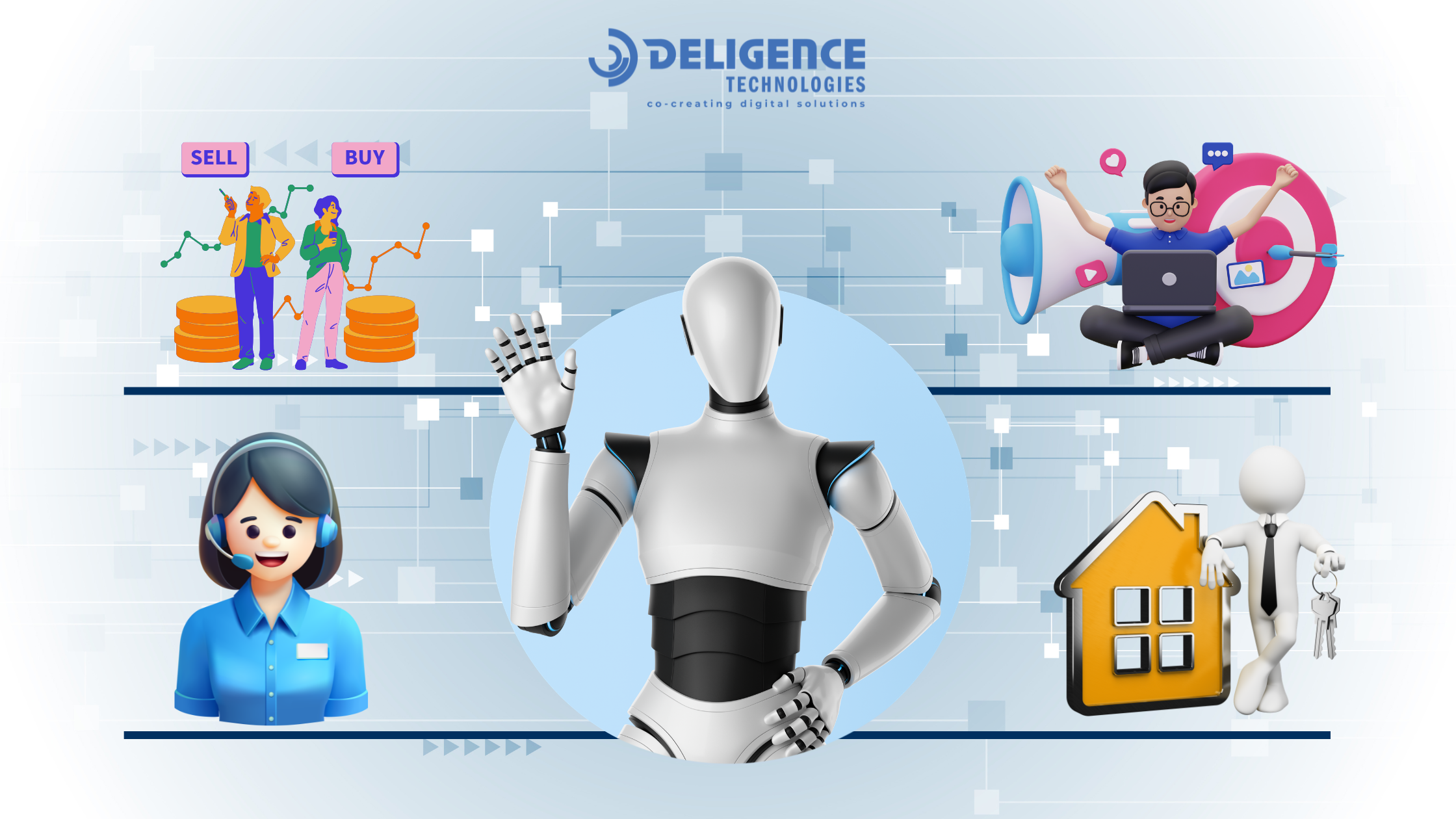
Companies are using these agents to handle high-volume tasks that used to require hours of manual labor.
Customer Service and Support
When a customer sends a message, the AI agent reads it and figures out what they need, whether that is tracking an order, getting a refund, fixing a billing problem, or resetting a password. It then solves the issue right away, without a human ever stepping in.
If the problem is too tricky for the AI, it hands the chat to a real person along with the full conversation, so the customer never has to repeat themselves. This saves time and keeps customers happy.
- Benchmark: 55–70% of issues resolved without human help (Gartner, 2026)
- Platforms Used to Automate AI Agents in Customer Support: Zendesk AI, Salesforce Agentforce, Intercom Fin AI
Sales Pipeline and Lead Generation
AI agents work like a sales assistant that never stops. They look at how potential customers behave, what pages they visit, which emails they open, and whether they asked for a demo, and use that to figure out who is most likely to buy. Your sales team then knows exactly where to spend their time.
The agent also writes a personal email to each lead and keeps your CRM updated after every interaction. The entire early part of the sales process, from spotting a lead to sending the first message, runs on its own.
- Platforms Used to Automate AI Agents in Sales: HubSpot AIHubSpot AI, OutreachOutreach AI, Salesforce Einstein SDR Agent.
Marketing Campaign Management
Marketing AI agents sort your customers into groups based on what they do, what they buy, what they click on, and how long they have been a customer. This way, each person gets a message that feels like it was written just for them, not a one-size-fits-all blast.
These agents also test your ads automatically to see which ones get better results. And when one platform is giving you more for your money than another, the agent moves your budget there in real time — so every dollar works as hard as possible.
- Platforms Used to Automate AI Agents in Marketing: Jasper AI, Adobe Sensei, Google Performance Max.
Real Estate Operations and Property Management
In real estate, AI agents take care of the admin work that eats up most of an agent’s day. They manage property listings, rank leads by how ready they are to buy or rent, and book showings straight onto your calendar — without the endless back-and-forth messages and calls.
They also keep track of every legal deadline from when a contract is signed all the way to closing day, sending automatic reminders so nothing slips through the cracks. For property managers, the agent watches for early signs that a tenant may be thinking about moving out and creates market reports in seconds instead of days.
- Benchmark: Reduces administrative work by 40%–60% per transaction.
- Platforms Used to Automate AI Agents in Real Estate: Follow Up Boss AI, Lofty AI, Sierra Interactive, and Buildout AI.
Benefits of Using AI Agents to Automate Workflows
AI agents can automate complex workflows and perform tasks with minimal human involvement. They can follow defined instructions, interact with multiple systems, and handle multi-step processes automatically, making them useful for managing everyday operational activities.
- Increased operational efficiency: AI agents work 24/7 without getting tired.
- Significant cost reduction: You spend less on manual labor for repetitive tasks.
- Improved accuracy and compliance: Agents don’t get distracted, which means fewer errors in data entry.
- Faster time-to-resolution: Customer requests are handled in seconds, not hours.
- Scalability without headcount growth: You can handle 10 times more work without hiring 10 times more people.
- Employee satisfaction: Your team can stop doing “robot work” and start doing creative, strategic work.
- Data-driven decision making: Agents create detailed logs that show exactly where your business is improving.
How to Implement AI Agents for Workflow Automation
If you are ready to start, follow this framework to ensure a smooth rollout.
- Audit and Identify High-Value Workflows: Look for tasks that are high volume, repetitive, and time-sensitive. Use process mining software or interview your team to find where the bottlenecks are.
- Define Agent Goals and Guardrails: Decide exactly what the agent should do. Set “guardrails” so the agent knows when it needs to stop and ask a human for help.
- Choose the Right Platform or Framework: You can use “off-the-shelf” tools like Microsoft Copilot Studio or Salesforce Agentforce. For unique needs, many businesses build custom solutions.
- Integrate with Existing Systems: Connect your agent to your CRM, ERP, and internal databases using APIs so it has the information it needs to be useful.
- Test, Monitor, and Iterate: Run the agent in “shadow mode” first. This means it suggests actions, but a human still hits the “send” button. Once it proves it is accurate, you can let it run fully.
- Scale Across the Organization: Once one department sees success, create a “Center of Excellence” to help other teams build their own agents.
Challenges and Risks Businesses Face When Deploying AI Agents

Deploying ai agents for workflow is a major step forward, but it is not without hurdles. To succeed, you need to be aware of the technical and human risks involved. Many leaders work with an ai agent development company specifically to navigate these complexities.
Data Privacy and Security Considerations
AI agents often require high-level access to sensitive data to do their jobs. In 2026, this has become a major focus for regulators.
- Privileged Access Risk: If an agent has the power to move money or read private HR files, a security breach could be devastating.
- Regulatory Compliance: Following laws like the EU AI Act, GDPR, and CCPA is mandatory. By 2026, many high-risk AI systems must have documented “audit trails” to show how they make decisions.
- Best Practice: Use role-based access controls (RBAC). Only give an agent the exact data it needs for its specific task, and never more.
Error Management
Even the best AI can sometimes be “confidently wrong.” This is known as a hallucination, where the agent invents a fact or takes an incorrect action based on flawed logic.
- The Risk: An agent might send an incorrect invoice or provide a customer with a “fake” company policy.
- Mitigation: Use neurosymbolic guardrails. These are hard-coded rules that prevent an agent from taking certain actions, even if its AI brain thinks it’s a good idea. Always include a human-in-the-loop checkpoint for high-stakes decisions.
Integration Complexity and Legacy Systems
Many businesses still run on outdated software that was never designed to work with AI agents. According to McKinsey, 70% of Fortune 500 companies use software that is over two decades old. Connecting modern AI agents to these systems creates real technical friction. In fact, Gartner warns that over 40% of agentic AI projects risk failure by 2027, specifically because legacy infrastructure cannot meet AI execution demands.
The Fix: Deploy middleware layers or API wrappers to act as a communication bridge between old systems and new AI, no full rebuild required.
Change Management and Employee Adoption
30% of U.S. workers fear AI will replace their jobs, but the reality is that roles are shifting from doing the task to managing the agent. Businesses that focus on upskilling see the biggest gains, with AI users reporting 66% average productivity improvements.
Three steps to drive adoption:
- Communicate early — be transparent about what AI will and won’t replace
- Upskill your team — train employees to oversee and collaborate with agents
- Redefine roles — shift focus from task execution to agent management and strategy
Measuring ROI and Defining Success Metrics
A common trap is automating a process just because you can, rather than because it adds value.
- The Formula: Real ROI = (Annualized Benefits – Annualized Costs) / Annualized Costs.
- The “Hidden” Costs: Don’t forget to budget for API token fees, ongoing model monitoring, and the time humans spend reviewing the agent’s work.
- Framework: Start by measuring a single, high-friction process. If the agent reduces a 15-minute task to 90 seconds, the labor savings are clear and auditable.
Why Choose Deligence Technologies for AI Agent Development Services
Deligence Technologies helps businesses build and deploy AI agents that automate everyday workflows. Their team focuses on creating practical AI solutions that fit into existing business processes instead of forcing companies to change their systems.
We offer custom AI agent development, workflow automation, and integration with tools like CRMs, databases, and internal platforms. This allows businesses to automate repetitive tasks and manage operations more efficiently.
Deligence also supports testing, deployment, and ongoing improvements so AI agents continue to perform reliably as business needs grow. For companies exploring AI-driven workflow automation, Deligence provides the technical expertise needed to implement AI agents successfully.
Conclusion
According to Gartner, 40% of enterprise applications will be integrated with task-specific AI agents by the end of 2026, up from less than 5% in 2025. AI agents for workflow automation have moved well beyond experimental pilots and are now the core engine driving operational efficiency, cost reduction, and business scale.
However, deployment success is not guaranteed. Gartner warns that over 40% of agentic AI projects will be canceled by the end of 2027 due to escalating costs, unclear business value, or inadequate risk controls. Businesses that succeed will be those that prioritize strong data governance, human oversight on high-stakes decisions, and clear ROI targets from the start. Partnering with an experienced AI agent company helps you deploy agents that deliver real, measurable business value from day one.
Ready to transform your operations with intelligent automation? Book a free consultation today to explore our custom AI agent development services.